What Is a Checksum? Definition and How to Run One
Few things in computing are as invisible yet as vital as the checksum. It’s the quiet guardian that catches a corrupted download, rejects a mistyped bank account number, and keeps the internet’s packets aligned — and this guide unpacks what a checksum actually is, how it works across file verification and financial systems like IBAN.com (IBAN standard reference) uses a modulus-97 algorithm, and shows you exactly how to run one on Windows 11.
Definition: A small block of data derived from another block of digital data for error detection ·
Common use cases: File integrity verification, network communication (TCP/IP), IBAN number validation ·
Example checksum type: CRC32 produces an 8-character hexadecimal string
Quick snapshot
- Checksums detect accidental data corruption during transfer (Wikipedia (general reference))
- IBAN checksum uses a two-digit modulus-97 check (IBAN.com (IBAN standard))
- Windows 11 includes built-in checksum verification via PowerShell’s
Get-FileHash(YouTube (practical demo))
- The exact probability of an undetected error depends on algorithm and data length (Wikipedia (computation limits))
- No checksum guarantees 100% error detection — collisions exist (NIST (cryptographic guidance))
- 1940s–1950s: Early parity bits used for basic error detection (Wikipedia (parity history))
- 1960s: Cyclic Redundancy Check (CRC) introduced (Wikipedia (CRC history))
- 1990s: MD5 and SHA-1 become common checksum algorithms (NIST (hash function evolution))
- 2000s: SHA-2 family standardized for stronger integrity (NIST (SHA-2 standard))
- Post-quantum checksum/hash standards are under development (NIST (quantum-resistant crypto))
- IBAN checksum validation is becoming mandatory for cross-border SEPA payments in the EU (European Commission (payment regulation))
Four algorithm types, one recurring trade-off: longer checksums catch more errors but consume more bandwidth. Here is what the major methods look like side by side.
| Algorithm type | Checksum size | Purpose | IBAN checksum format |
|---|---|---|---|
| CRC, MD5, SHA-1, SHA-256 | Typically 32 to 512 bits | Error detection, not authentication | 2 decimal digits using modulus 97 |
What is a checksum?
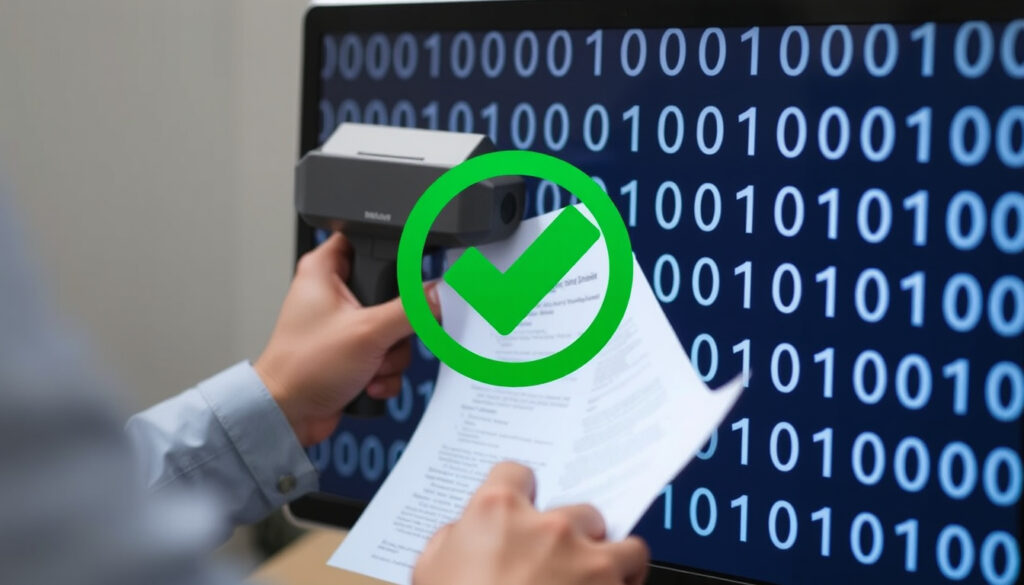
A checksum is a small block of data derived from a larger data set, used for error detection. Think of it as a fingerprint for a file or a message — unique enough to spot changes, but not cryptographically secure. Common algorithms include CRC32, MD5, SHA-1 (NIST standard), and SHA-256.
What is a checksum example?
When you download a Linux ISO, the site often provides a SHA-256 checksum like e3b0c44298fc1c149afbf4c8996fb92427ae41e4649b934ca495991b7852b855. If the file you download produces the same string, you know it’s intact. If the file changes — even by a single byte — the checksum changes as well (LinuxSecurity (security editorial)).
What is another name for checksum?
In different contexts, a checksum may be called a hash value, hash sum, hash code, digest, or fingerprint. The term “cyclical redundancy check” (CRC) refers to a specific family of checksum algorithms commonly used in networking (Wikipedia (CRC definition)).
Is a checksum a hash?
Technically, yes — a checksum is a type of hash function, but not all hashes are checksums. Cryptographic hashes like SHA-256 are designed to be one-way and collision-resistant, while simple checksums like CRC32 are fast but not secure against deliberate tampering (NIST guidance on hash vs. checksum).
For a user downloading a 4 GB ISO, SHA-256 adds about 30 milliseconds of processing but catches accidental corruption that a CRC32 might miss. The cost of stronger integrity: compute time.
The implication: a checksum is not authentication — it cannot prove who created the data, only that it hasn’t changed since the checksum was computed. For authenticity, you need digital signatures.
How does a checksum work?
The process is straightforward: the sender calculates a checksum from the original data and appends it. The receiver recalculates the checksum from the received data and compares it to the transmitted value. If they don’t match, the data was corrupted during transmission (IETF RFC 1071 (computing the Internet checksum)).
What is checksum in networking?
In networking, checksums are used in IP (IETF RFC 791), TCP (IETF RFC 793), and UDP (IETF RFC 768) headers. The sender computes a one’s complement sum of the packet data, and the router or receiver verifies it. If a single bit flips during transit, the checksum fails and the packet is retransmitted.
How does a checksum detect errors?
If a file’s checksum changes from e3b0c44... to d4e1f22... after download, you know the data was altered. The algorithm itself determines how sensitive the detection is — CRC32 catches all single-bit errors but might miss certain multi-bit patterns. SHA-256 detects any change with astronomically high probability.
Your ISP or cloud provider might re-route packets, causing silent corruption. A checksum failure during a bank transfer means the system rejects the payment — intentional design to prevent accidental loss.
The pattern: the entire model depends on both parties agreeing on which algorithm to use. Two computers using different hash functions would produce checksums that don’t compare.
Why is a checksum required?
Checksums exist because hardware and networks are not perfectly reliable. A single cosmic ray, a faulty cable, or a buffer overflow during a file transfer can flip a bit. Without a checksum, you would have no way to know the data is corrupted (LinuxSecurity on data integrity rationale).
What is a checksum error?
A checksum error occurs when the computed checksum does not match the expected value. It means the data has been altered and should not be trusted. In networking, this triggers a retransmission request; in file downloads, you re-download the file (Mundobytes (error explanation)).
What does invalid IBAN checksum mean?
An invalid IBAN checksum means the bank account number is typed incorrectly. The validation algorithm uses modulus 97: you rearrange the IBAN digits, convert letters to numbers, divide by 97, and expect a remainder of 1. If the remainder is not 1, the IBAN is wrong (IBAN.com validation logic).
- IBAN checksum validation is standardized in the ISO 13616 family (ISO specification).
- The two check digits appear in positions 3 and 4 of the IBAN (IBAN.com (check digit position)).
- If a user types
DE89 3704 0044 0532 0130 00instead of the correctDE89 3704 0044 0532 0130 01, the checksum catches it before the payment is processed (IBAN.com (example validation)).
What this means: checksums are not optional line items — they are operational requirements. Without them, bank transfers would settle corrupted account numbers, and downloaded software would silently install corrupted binaries.
What is a checksum in an IBAN?
The IBAN checksum is a pair of digits computed using the modulus 97 algorithm (ISO 13616). It is structurally distinct from file checksums: it consists of exactly two decimal digits, not a hexadecimal string, and it is designed specifically to detect typographical errors made by humans entering account numbers.
What is the IBAN checksum validation?
To validate an IBAN, you follow these steps (Validatefin (validation guide)):
- Move the first four characters (country code and two check digits) to the end of the string.
- Convert all letters to numbers: A=10, B=11, up to Z=35.
- Treat the resulting number as a single integer and divide by 97.
- If the remainder is 1, the IBAN is structurally valid.
A valid checksum means the IBAN is correctly formed, but it does not guarantee the account exists at the bank — that requires a separate database lookup (Code-Classify (IBAN validation limits)).
What does invalid IBAN checksum mean?
An invalid checksum means the IBAN contains a structural mistake — a typo, a wrong digit, or an incorrect bank code. The payment system will reject the transfer before it reaches the bank, preventing attempted deposits into non-existent accounts. The European Commission recommends IBAN checksum validation for all cross-border SEPA transactions.
Country-specific IBAN formats vary in length — from 15 digits (Norway) to 34 (France). A valid checksum does not validate the account’s existence; it only confirms the number is structurally correct. Always pair checksum validation with a bank lookup.
The trade-off: IBAN checksums protect against accidental typos but not against fraudsters who generate valid structural numbers for accounts that don’t exist. For full protection, combine checksum validation with account name matching.
How do I run a checksum?
Running a checksum is straightforward on any operating system. On Windows 11, you have built-in command-line tools and optional GUI utilities. On macOS and Linux, the tools are pre-installed.
How to do a checksum on Windows 11?
Windows 11 includes built-in checksum verification via PowerShell’s Get-FileHash command (YouTube practical tutorial):
- Open PowerShell (search “PowerShell” in the Start menu).
- Run:
Get-FileHash -Path "C:\path\to\your\file.iso" -Algorithm SHA256 - Compare the output string with the published checksum from the download page.
Alternatively, use the legacy certutil -hashfile command (Mundobytes step-by-step):
- Open Command Prompt (cmd).
- Run:
certutil -hashfile "C:\path\to\your\file.iso" SHA256 - Common algorithms supported: MD5, SHA1, SHA256, SHA384, SHA512.
How to calculate checksum?
On macOS and Linux, use the terminal (Wikipedia (sha256sum reference)):
sha256sum filename.iso— produces a SHA-256 checksum.md5sum filename.iso— produces an MD5 checksum (faster but less secure).shasum -a 1 filename.iso— produces an SHA-1 checksum.
For a GUI approach on Windows 11, third-party tools like OpenHashTab (open-source utility) add a “File Hashes” tab to the file’s Properties window.
Why this matters: if you download a Linux ISO, a firmware update, or a software installer, always verify the checksum. A mismatch means you should discard the file and download again — one corrupted sector can render software unusable.
If the file changes — even by a single byte — the checksum changes as well.
A checksum is a small-sized block of data derived from another block of digital data for the purpose of detecting errors.
Wikipedia (general reference)
The catch: Without verifying the checksum, you risk installing corrupted software or sending payments to wrong accounts. Always compare hashes from trusted sources.
Summary
Checksums are the invisible safety net beneath file downloads, network traffic, and international bank transfers. For anyone downloading software on Windows 11, the choice is clear: verify every ISO with Get-FileHash or risk installing corrupted files. For anyone sending or receiving international payments, the implication is just as concrete: validate the IBAN checksum before you hit send, or the transaction will be rejected — and your time wasted.
Learn more about related topics: What Is a USB-C? and How to Install Fonts on Windows 10 and 11.
it.iban.com, es.iban.com, msn.com, mundobytes.com, de.iban.com, youtube.com
Frequently asked questions
Can a checksum guarantee data integrity?
No. Checksums detect accidental corruption, but collisions (two different data sets producing the same checksum) are mathematically possible. SHA-256 collisions are astronomically improbable but not impossible. For true integrity guarantees, combine checksums with cryptographic signatures.
How often do checksum collisions occur?
For CRC32, collisions occur in roughly 1 in 4 billion data blocks. For SHA-256, the probability is so low that no accidental collision has ever been publicly recorded. Deliberate collisions for MD5 and SHA-1 have been demonstrated by researchers (NIST collision guidance).
What does a checksum look like?
A typical checksum is a string of characters. CRC32 produces 8 hexadecimal characters (e.g., 3A4B5C6D). SHA-256 produces 64 hexadecimal characters (e.g., e3b0c442...). IBAN checksums are two decimal digits (e.g., 89 in DE89...).
How are checksums used in downloading files?
Software distributors publish expected checksums on their download pages. After downloading, you run a local checksum using the same algorithm. If the two strings match, the file is uncorrupted. If they differ, download again (YouTube (practical demo)).
What is the most secure checksum algorithm?
SHA-256 is the current standard for file integrity verification. It is recommended by NIST and used by major operating systems. MD5 and SHA-1 are considered deprecated for security-sensitive applications due to collision vulnerabilities.
How do I fix a checksum error?
A checksum error means the data is corrupted. Delete the file and download it again. If the error persists, check your internet connection or try a different mirror site. For IBAN checksum errors, double-check the account number for typos and re-enter it.
Why do IBAN numbers use modulus 97?
Modulus 97 was chosen because it is computationally simple and effectively catches common typographical errors — transposition of two digits, replacing a digit with another, and dropping a digit. The ISO 13616 standard specifies this algorithm for global interoperability (ISO 13616 (specification)).
More related posts
 Stracciatella Soup Near Me: Osteria Lucio Dublin Spots
 British Passport Rule Changes 2026: Dual Citizenship Guide
 Pirates of the Caribbean 5: Hit or Flop? Renaming & Cast
 NZD to FJD: Exchange Rate & Best Ways to Convert
 Te Ahu a Turanga – Manawatū Tararua Highway: Route & Shared Path
 How Many Countries in Europe? UN Count vs Geopolitical Count
 Daylight Saving Time End 2025: Ireland Clock Change Date
 Tauranga to Wellington Flights: Duration, Prices, and Schedule