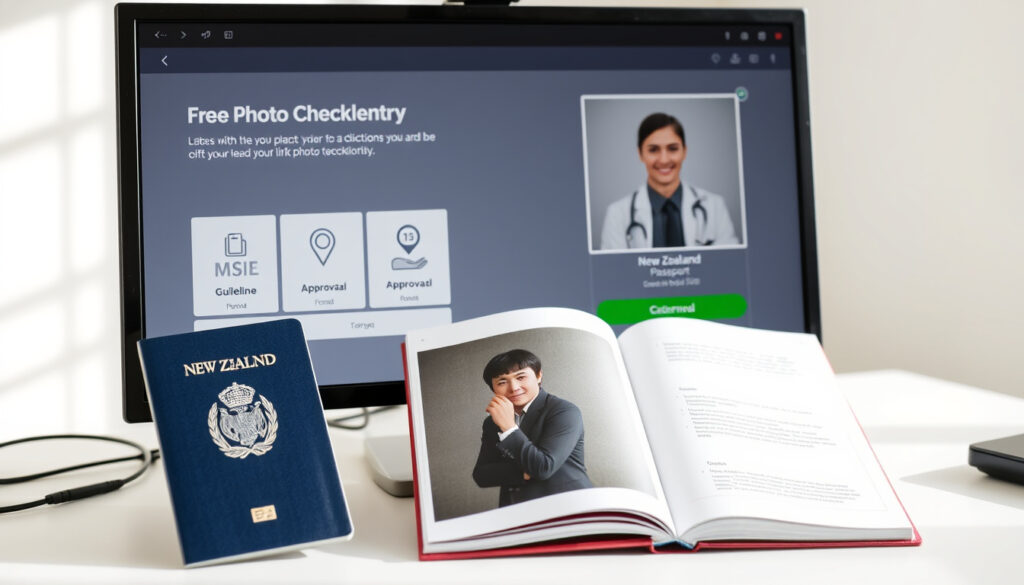
NZ Passport Photo Checker – Free Official Tool & Requirements
Free NZ Passport Photo Checker & Requirements
Getting a passport photo wrong can delay your application by weeks. New Zealand’s Department of Internal Affairs offers a free online tool that checks whether your photo meets official specifications before you submit anything. The system provides instant feedback and a reference number, helping applicants avoid the most common reasons for rejection.
Whether you take the photo yourself at home, use a smartphone app, or visit a professional service, understanding the technical requirements matters. This guide walks through the official specifications, how the checker works, and what mistakes to avoid.
What Are the New Zealand Passport Photo Requirements?
New Zealand passport photos must comply with international standards set by the International Civil Aviation Organization (ICAO) for machine-readable travel documents. These standards cover file format, dimensions, lighting, pose, and how recent the image is. The Department of Internal Affairs publishes detailed specifications on its official website, and the free Online Photo Checker validates compliance without requiring you to start a full application.
The passports.govt.nz Online Photo Checker is the only officially endorsed free tool for verifying NZ passport photos before submission.
Dimensions: 900–4500 pixels wide, 1200–6000 pixels high, with a 3:4 aspect ratio
File type: Colour JPG or JPEG only
File size: 250KB–5MB for passport applications
Recency: Taken within the past 6 months
Background and Lighting
The background must be plain and light-coloured. Official guidelines describe it as neutral, though not explicitly requiring pure white. What matters is that the background contrasts clearly with the applicant’s face and clothing without creating shadows or patterns that interfere with facial recognition software.
Even lighting across the face is essential. Shadows on one side of the face, under the chin, or in the background all increase the chance of rejection. Natural diffuse lighting from a window works well for home photos, provided there are no strong directional light sources creating harsh contrast.
Pose and Expression
The photo must show a full face looking directly at the camera with a neutral expression. Eyes must be open and clearly visible, and the mouth should be closed. Smiling is not recommended because it can affect the accuracy of facial recognition technology embedded in passport chips. Head tilts, rotations, or angled shots are not permitted.
While passports.govt.nz does not specify an exact millimetre measurement, visa application guidelines suggest a head height equivalent of 35–45mm, which roughly translates to the face occupying 70–80% of the photo height.
| Specification | Requirement | Common Mistake |
|---|---|---|
| File type | JPG/JPEG colour | Submitting PNG or black-and-white images |
| File size | 250KB–5MB | Files under 250KB or exceeding 5MB |
| Dimensions | 900–4500px wide, 1200–6000px high | Wrong aspect ratio other than 3:4 |
| Background | Plain, light-coloured | Patterned, dark, or textured backgrounds |
| Expression | Neutral, mouth closed | Smiling or mouth open |
| Photo age | Less than 6 months old | Reusing an older photo |
How to Check If Your Photo Meets NZ Passport Standards
The Department of Internal Affairs operates the Online Photo Checker at onlinephotochecker.passports.govt.nz. This free tool accepts digital photos and returns immediate feedback on whether the image satisfies the technical requirements for a New Zealand passport application.
Using the Official Checker
No account or application number is needed to use the tool. Users upload their digital photo directly through the website, and the system analyses it against the official criteria. If the photo meets requirements, the tool provides a unique reference number that applicants can record for their own records. If the photo fails, the system lists specific reasons for the failure, allowing the user to retake or edit the image and try again.
This pre-screening step has become increasingly useful as more application processes move online. Rather than discovering a rejected photo weeks into a passport application, users can resolve issues before submitting anything to the Department of Internal Affairs.
Keeping a record of your reference number helps if questions arise about your photo during the application review process.
Third-Party Apps: What to Know
Several online services offer to resize, crop, and adjust passport photos automatically. Tools such as Atlys provide a New Zealand Visa Photo Maker that can transform existing photos to meet specifications for head height, background colour, and file dimensions. PhotoAiD offers similar AI-powered features.
These services are not officially endorsed by the New Zealand Department of Internal Affairs. Their guarantees typically apply to documents from other countries, particularly the United States. Using such tools can be helpful for preparing a base image, but the final photo should always be validated using the official Online Photo Checker before submission.
For those planning travel around New Zealand while managing applications, finding the right timing for photos is just one part of preparation. Resources covering things to do in Rotorua free can help families make the most of their time while waiting for processing.
Can You Take Your Own NZ Passport Photo?
Yes, there is no requirement to use a professional photographer for New Zealand passport photos. The official guidelines on passports.govt.nz explicitly state that applicants can take their own photos, provided the image meets all the technical specifications.
Setting Up a Home Photo
A plain light-coloured wall works well as a background. The subject should stand or sit about one metre from the wall to avoid shadow cast by their body appearing in the frame. A smartphone camera set to highest resolution produces images well within the required pixel range.
Lighting should come from both sides of the face equally, avoiding harsh direct light from behind the subject. Cloudy natural light through a window, or two soft lamps positioned at equal distances on either side, produces even illumination. Taking several shots from which to choose increases the chance of capturing a compliant image.
Official guidelines warn against AI-altered or heavily edited photos. Subtle brightness and contrast adjustments are generally acceptable, but smoothing skin, removing blemishes, or changing proportions can lead to rejection.
Professional Services and NZ Post
NZ Post offers passport photo services at selected locations across New Zealand. Staff at these outlets are familiar with the official specifications and can advise if a photo is unlikely to pass. However, even photos taken professionally must still meet the same technical criteria and will be validated through the same system during application processing.
For people who are unsure whether their home setup will produce a compliant image, professional services reduce the risk of rejection due to technical errors. The trade-off is cost, which varies by provider and location.
Common NZ Passport Photo Rules: Smiling, Age, and Recency
Beyond size and background, New Zealand passport requirements address several behavioural and temporal factors that applicants sometimes overlook.
Why Neutral Expression Is Required
Modern passports contain a chip that stores biometric data derived from the photo, including measurements of facial landmarks. A neutral expression provides consistent reference points for this technology. A broad smile changes the shape of the mouth and surrounding muscles, which can cause discrepancies when automated systems compare the live scan against the stored template.
Photo Recency: Why It Matters
Photos must be less than six months old at the time of application. This rule ensures that the image in the passport remains a fair likeness of the holder. A person who has significantly changed their appearance — through weight change, hairstyle, facial hair, or cosmetic surgery — may encounter difficulties at border crossings if the photo no longer resembles them.
Children’s photos require particular attention. Infants and toddlers change rapidly, and the six-month rule exists precisely because a young child’s appearance can shift noticeably within that timeframe.
Why Rejections Happen
The most frequent reasons for photo rejection include files that are too small or too large, incorrect aspect ratios, and backgrounds that are the wrong colour or texture. Outdated photos and images where the subject does not face forward squarely also appear regularly among rejected submissions.
Edited images — whether altered through AI tools, filters, or manual retouching — are flagged because they compromise the integrity of the biometric data. Even subtle changes can cause mismatches during automated border crossing checks.
When NZ Passport Photo Requirements Last Changed
New Zealand’s passport photo requirements have evolved alongside international standards over the past two decades.
- 2000s: Transition from film to digital began, with specifications gradually updated to include pixel dimensions and file sizes rather than purely print measurements.
- 2012: ICAO introduced enhanced biometric standards for machine-readable passports, refining requirements for neutral expression and digital quality that New Zealand adopted.
- 2019: Online application systems expanded, creating greater demand for photo validation tools independent of the application process itself.
- 2024–2025: No major specification changes have been recorded. Requirements remain consistent with ICAO standards, with an increased emphasis on unedited, high-quality digital images.
The Immigration New Zealand website applies similar photo standards for visa and NZeTA applications, though file size limits differ slightly — up to 10MB for NZeTA compared to 5MB for standard passport submissions.
What Is Established and What Remains Unclear
Established facts
- File size must be 250KB–5MB for passport applications
- Dimensions must be 900–4500px wide and 1200–6000px high
- 3:4 aspect ratio is required
- Photo must be less than 6 months old
- Background must be plain and light-coloured
- Neutral expression with mouth closed is required
- The official Online Photo Checker is available free at onlinephotochecker.passports.govt.nz
Not fully specified
- Exact head height in millimetres is not stated in official passport specs
- Whether pure white background is required remains ambiguous — guidelines use “light” and “neutral”
- Precise lighting ratios are not defined
- Approval rates or rejection statistics are not publicly released
Why These Specifications Exist
New Zealand passports are machine-readable travel documents recognised at border crossings worldwide. The biometric chip embedded in each passport stores data derived from the photograph, including facial measurements used by automated recognition systems at airports and immigration checkpoints.
Consistent specifications ensure that photos from New Zealand can be processed by systems in other countries without compatibility issues. When photos fail to meet standards, the biometric comparison may produce errors, leading to delays or manual reviews at border control.
ICAO, the United Nations agency that sets these standards, requires participating countries to maintain specific image quality thresholds. New Zealand’s requirements align with these international benchmarks, which is why any deviation — from file format to expression — can affect document usability internationally.
Official Sources and Guidance
“You can take your own passport photo. It must be a colour photo, taken within the last 6 months, showing your full face without a head covering.”
— passports.govt.nz, Photo Requirements
The primary authoritative sources for New Zealand passport photo specifications are passports.govt.nz and the Department of Internal Affairs. These pages contain the official specifications, example images, and links to the free Online Photo Checker. Immigration New Zealand provides parallel guidance for visa and NZeTA applications, which follows similar principles but with some variation in file size limits.
For those comparing options across different product categories while managing travel planning, consumer guides covering everyday items like tea coffee sugar canisters NZ offer practical tips independent of passport matters.
Summary
Meeting New Zealand passport photo requirements comes down to understanding a set of clear technical specifications: correct file format and size, appropriate dimensions, a plain light background, a neutral expression, and a photo no older than six months. The free Online Photo Checker offered by the Department of Internal Affairs provides a straightforward way to confirm compliance before beginning a passport application. Whether taking the photo at home or using a professional service, verifying the image against official criteria early in the process prevents delays and reduces the likelihood of rejection.
Frequently Asked Questions
Best apps for NZ passport photos
Third-party apps like Atlys and PhotoAiD can resize, crop, and adjust background colour for New Zealand passport photos. However, they are not officially endorsed. Always recheck the output using the official Online Photo Checker before submitting.
NZ passport photo for children
Children’s photos must meet the same technical specifications as adult photos. For infants, ensure the face is clearly visible, eyes are open, and no other people appear in the frame. The six-month recency rule applies to all ages.
Can I use a white background for NZ passport photos?
Official passport guidelines describe the background as “plain” and “light-coloured” rather than specifying pure white. A white or near-white background is generally acceptable as long as it is plain and provides sufficient contrast with the face.
What happens if my passport photo is rejected?
If the Department of Internal Affairs rejects your photo during the application process, you will be asked to upload a new compliant image. Using the Online Photo Checker before applying helps identify issues in advance and avoids this step.
Do NZ passport photo requirements differ from visa photos?
The core specifications are similar — neutral expression, plain background, correct dimensions — but file size limits differ slightly. Passport photos must be 250KB–5MB, while NZeTA allows files up to 10MB. Always check the relevant form for exact requirements.
More related posts
 Chicken Curry Recipe NZ: Secrets, Mistakes, Flavor Tips
 Kauaeranga Valley Hiker Rescue: Family Saves 80-Year-Old
 AI Talkie Psychic Seer: Guide, Safety & Alternatives
 SH2 Carterton Roadworks Disruption: Detours, Timelines & Impact
 Manchester United F.C. vs Fulham F.C. Lineups: Predicted XIs
 Xbox Cloud Gaming Fortnite: Free Play on Mobile & PC
 Rest Homes Near Me in Ireland: Guide to Costs and Options